Fleetpal Inspect
Fleet inspection software that closes every defect it finds
Fleetpal Inspect runs your DVIRs, annual inspections, and in-shop checks from VMRS-coded templates. Drivers report defects by scanning a QR code on the unit — and every defect flows into a Fleetpal work order and closes automatically when the repair does.
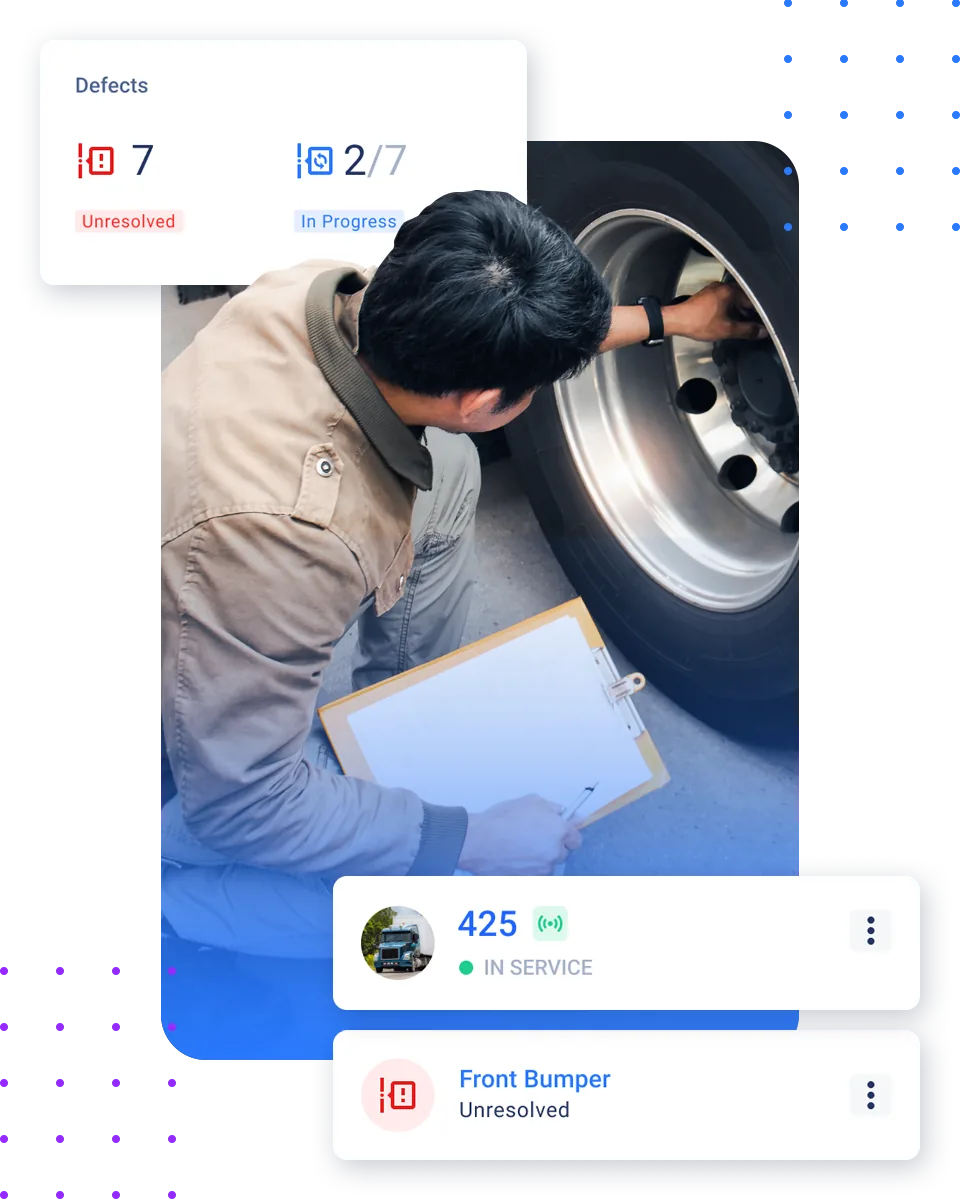
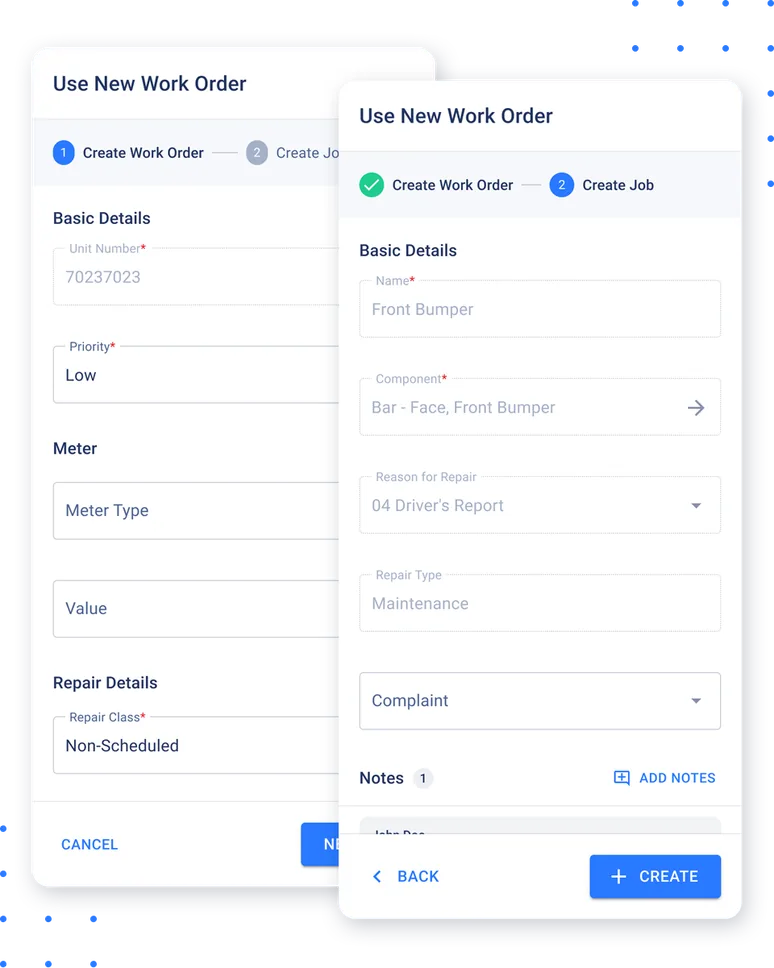
Inspection to work order
Defects don't sit in a report — they flow into your maintenance system
Captured once, pushed instantly
Every defect a driver or technician flags is delivered to Fleetpal over a signed webhook the moment it's captured.
One click to a work order
In Fleetpal, the defect is added to a work order with the unit already attached.
Closed loop, literally
When the work order closes, Inspect receives the update and closes the defect automatically — no double entry, no orphaned reports.
Not just Fleetpal
An open, versioned API with signed webhooks connects Inspect to other maintenance systems and ERPs — see how it fits your integrations.
Everything the inspection layer of your fleet needs
VMRS-coded templates
Build complex inspection templates around VMRS systems.
AI-assisted coding
Describe the defect — Inspect suggests the right VMRS component.
DVIR, AVIR & in-shop
Driver, annual, and shop inspections in one app.
QR scan-and-report
Drivers scan a code on the unit and report defects — no login.
Condition reports
Assign a driver, get a condition diff when the unit comes back.
Technician certifications
Track who is qualified to perform annual inspections.
Defect triage
New defects land in a triage queue before dispatch.
Open integrations
Signed webhooks connect Inspect to any maintenance system.
QR defect reporting in three steps
Scan
A driver scans the QR sticker on the truck, trailer, or equipment — no app install, no login.
Report
A guided template walks them through the check, with photos and location captured.
Resolve
The defect lands in triage, flows to Fleetpal as a work order, and closes automatically when the repair is done.
Free for qualified fleets
Fleetpal Inspect is free for qualified fleets
Fleets with 30 or more active power units in the US or Canada can run Fleetpal Inspect at no cost. It is not a trial and it does not expire. Apply online, take a short verification call with our team, and your account is provisioned.
What the free version includes
- Driver pre-trip and post-trip DVIRs with photos and location
- QR scan-and-report from any phone, no app and no login
- Standard inspection templates for trucks, trailers and equipment
- The defect triage queue, so every failed item lands somewhere a person owns it
- Photos kept for 24 months
What connects when you add Fleetpal
- The defect-to-work-order loop that turns failed items into Fleetpal work orders
- Telematics and DVIR sync with Samsara and Motive
- Webhooks and API access
- Frozen annual inspection records and technician certifications
- Photo retention beyond 24 months
Trusted by fleets that run on Fleetpal
5.0on G2"Best site to use for your fleet"
"Management platform made it simple."
"Best time and money saving Fleet software on the market."
Explore more of the platform
DVIR & Defects
How defects are tracked and resolved inside Fleetpal.
Learn moreWork Orders
Create, assign, and track every repair.
Learn morePM Scheduling
Schedule service by mileage, hours, or time.
Learn moreEquipment Management
Run vehicles and heavy equipment on one platform.
Learn moreIntegrations
Sync telematics so meters and fault codes flow in.
Learn moreFleet inspection software FAQ
What is fleet inspection software?
Fleet inspection software digitizes vehicle and equipment inspections — drivers and technicians complete guided checklists on mobile, defects are documented with photos, and results feed your maintenance workflow instead of sitting in paper files. Fleetpal Inspect adds VMRS-coded templates and a direct line into work orders.
What inspection types does Fleetpal Inspect support?
Driver vehicle inspection reports (DVIRs), annual vehicle inspections (AVIRs), in-shop inspections, and QR-initiated condition reports — all built from inspection templates you control.
What is the difference between a DVIR and an AVIR?
A DVIR is the driver's routine pre-trip or post-trip inspection report. An AVIR is the annual vehicle inspection performed by a qualified inspector. Inspect runs both — and tracks which technicians are certified to perform annual inspections.
How does QR defect reporting work?
Print QR codes in Inspect and stick them on your trucks, trailers, and equipment. Anyone can scan the code with a phone camera and report a condition or defect through a guided form — no app install and no login.
Does Inspect work with fleet maintenance software?
Yes. Inspect is natively integrated with Fleetpal: a captured defect can be added to a work order, and when that work order closes, the defect closes in Inspect automatically. An open API with signed webhooks connects Inspect to other maintenance systems and ERPs as well.
Can Inspect track technician certifications?
Yes — certifications are tracked per technician, so annual inspections are performed by qualified people and your records show it.
What is a condition report?
When a unit is assigned to a driver and later returned, Inspect compares the two inspections and produces a condition diff report — a PDF showing exactly what changed while the unit was out.
Does Inspect connect to telematics?
Yes — Inspect connects to Samsara and Motive to sync vehicles and odometer readings, so inspections are tied to accurate meter data.
Are inspection records audit-ready?
Annual inspection reports are generated as PDFs and frozen as immutable records, every QR scan is logged with time and location, and each defect carries its full history from capture to resolution.
Is there a free version of fleet inspection software?
Yes. Fleetpal Inspect is free for qualified fleets: 30 or more active power units, operating in the US or Canada, verified on a short call with our team. It is not a trial and it does not expire. The free version is standalone and includes driver DVIRs with photos, QR scan-and-report, standard templates and the defect triage queue, with photos kept for 24 months. Integrations, webhooks and API access, annual inspection records, technician certifications and the connection to Fleetpal work orders come with the Fleetpal platform. Apply at inspect.fleetpal.io/apply.
Inspections that finish the job
See how Fleetpal Inspect takes a defect from a QR scan in the yard to a closed work order — automatically.