Parts & inventory
Fleet parts inventory that's tied to every work order
Track every part — on-hand, available, allocated, and on-order — with bin locations and cost. Parts flow onto work orders as repairs happen, so your stock counts and spend stay accurate without double entry.
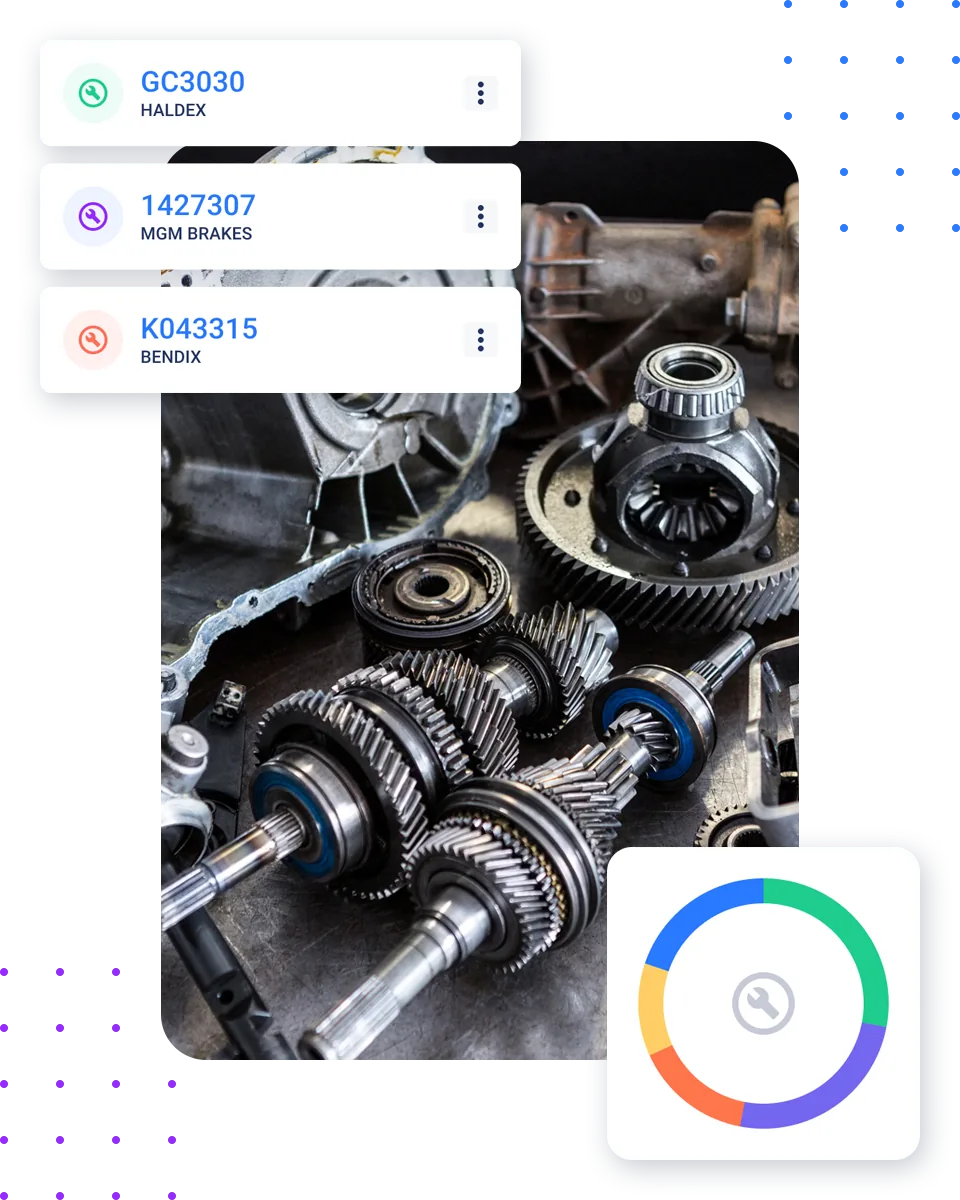
Stock & cost
Know exactly what's in stock — and what it's worth
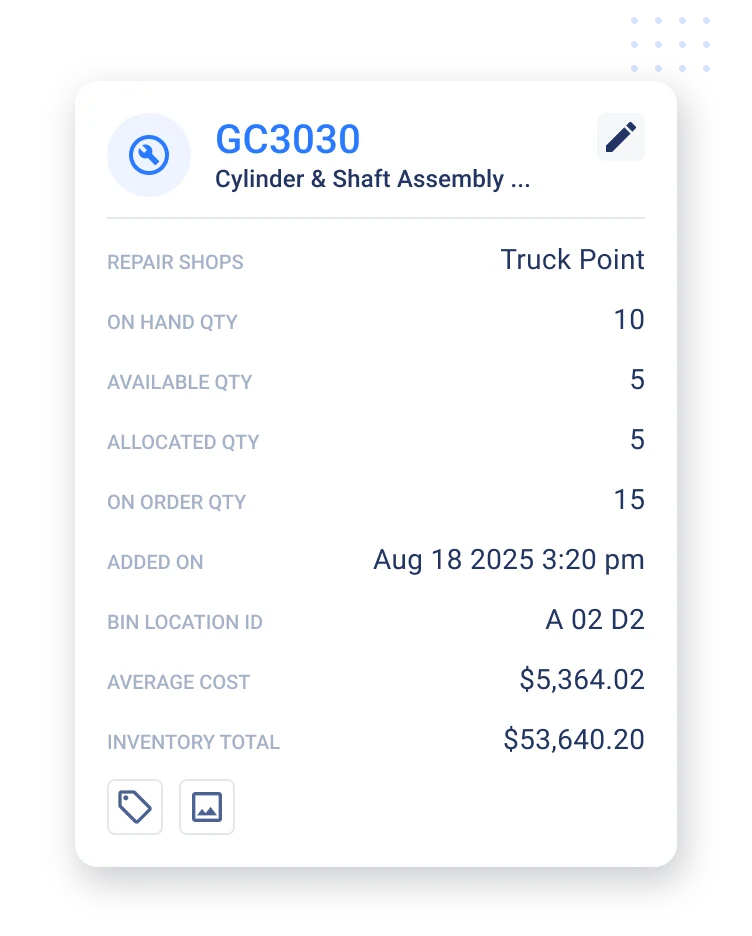
On-hand, available, allocated, on-order
Real-time stock counts on every part.
Bin location tracking
Find any part fast with bin and location IDs.
Average cost and inventory value
See what your parts inventory is worth cost.
Supplier and component detail
Every part tied to its supplier and VMRS component.
Everything you need to keep parts under control
Real-time stock levels
On-hand, available, allocated, and on-order.
Bin location tracking
Find any part fast with bin IDs.
Inventory valuation
Average cost and total inventory value.
Parts on work orders
Parts flow onto work orders automatically.
Supplier detail
Every part tied to its supplier.
VMRS component mapping
Parts categorized by system.
On-order tracking
See what's already on the way.
Allocated vs available
Know what's committed to open work.
Work orders
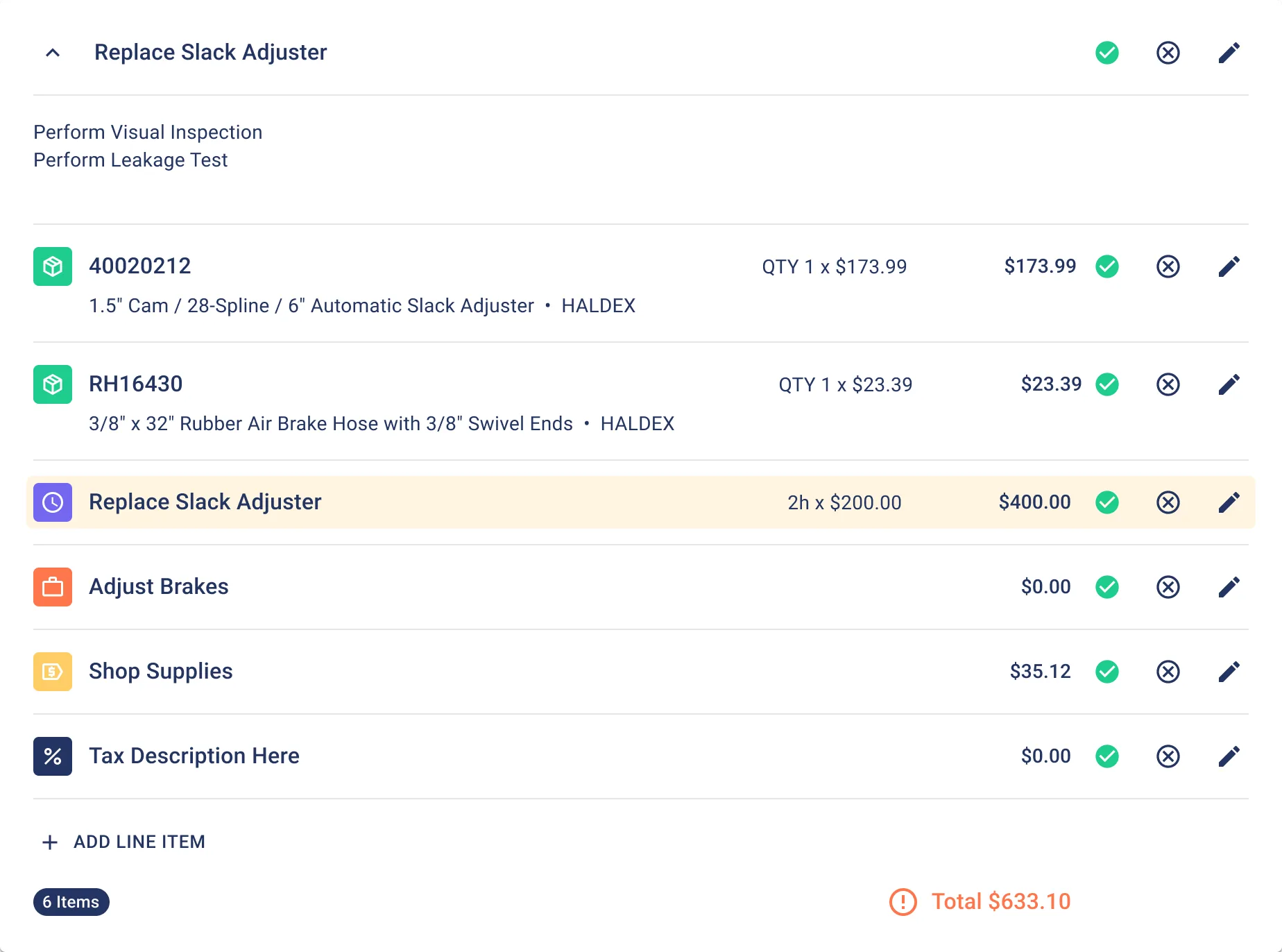
Parts land on the work order — with cost
Add parts to any job
Pull parts onto a work order with quantity and cost.
Parts, labor, and supplies in one total
Every line item rolls into the job total.
Real part numbers and suppliers
Line items show the exact part and price.
Spend tracked per repair
Parts cost flows into your cost reports.
Stock. Use. Track.
Stock
Add parts with quantities, bin locations, suppliers, and cost.
Use
Pull parts onto a work order as repairs happen.
Track
Stock counts and inventory value update automatically.
Trusted by fleets that run on Fleetpal
5.0on G2"Best site to use for your fleet"
"Inventory management made simple!"
"Best time and money saving Fleet software on the market."
Explore more of the platform
Work Orders
Create, assign, and track every repair.
Learn moreFleet Reports
Turn maintenance data into decisions.
Learn morePM Scheduling
Schedule service by mileage, hours, or time.
Learn moreDVIR & Defects
Turn driver inspections into work orders.
Learn moreEquipment Management
Run vehicles and heavy equipment on one platform.
Learn moreParts & inventory FAQ
What is fleet parts inventory management?
It's tracking your parts stock, locations, and cost so the right parts are on hand and every part used is tied to a work order. Fleetpal tracks on-hand, available, allocated, and on-order quantities with bin locations and inventory value.
Does Fleetpal track parts inventory?
Yes — on-hand, available, allocated, and on-order quantities, with bin locations, average cost, and total inventory value per part.
Can parts be added to work orders?
Yes — pull parts onto any work order with quantity and cost, and the job total includes parts, labor, and supplies.
Does it track inventory value?
Yes — average cost per part and total inventory value across your stock.
Can I see which supplier a part comes from?
Yes — parts are tied to their supplier and VMRS component.
How does inventory stay accurate?
Stock updates automatically as parts are received and used on work orders, so counts and value stay current.
Stop guessing what's on the shelf
See how Fleetpal keeps parts stock, cost, and usage accurate — and tied to every work order.